Digital Card Making with PSP

I love making my own greetings cards and thought that the card challenges would be a lot of fun. I have a lot of paper and pens...and the other things one would need to make great cards. I found myself trying to keep up with what is new on the market... then I realize all the stuff, the papers, glue, and stamps were getting very costly and I was running out of space to store it all.

That is when I decided to make elements for my cards in Paint Shop Pro aka PSP. PSP is a software that I have been teaching myself since version 3. Now using version 13 I have learned that the program can also create images and paint them as well. Light bulb went off...why not use it to make my cards and not just some elements for the cards. And so digital card making began for me...and boy has it saved me money.

This blog now consist of my creations that I have made using nothing but PSP. I found the challenge for me is to teach myself how to meet the different card challenges within PSP.

Well that is how all this digital stuff began...Just thought I share.

Jaggs

Showing posts with label DigiStampPainting. Show all posts

Wednesday, September 2, 2009

Dustin Pike digi stamps

I know I have mentioned it a couple of times on my blog that I am teaching myself how to paint digi stamps using PSP. For those of you who might be interested in doing the same I have found a lot of free stamps online. There are a lot of them out there. I even use coloring book pages.

Now the reason for this post. I have come across a wonderful artist who has been creating digi stamps (for a lack of better words). His images are awesome. You can find is blog at dustinpike.blogspot.com. I don't think you will be sorry. Another thing that I think is great for anyone wanting to try the painting of the images is a software that removes the white background from the image. It is a filter plug-in for many of the image manipulation software like PaintShopPro, PhotoShop, and PhotoShop Elements just to name a few. The name of the plug-in is AlphaWorks by Cybia. I have used it on every image I have painted so far.
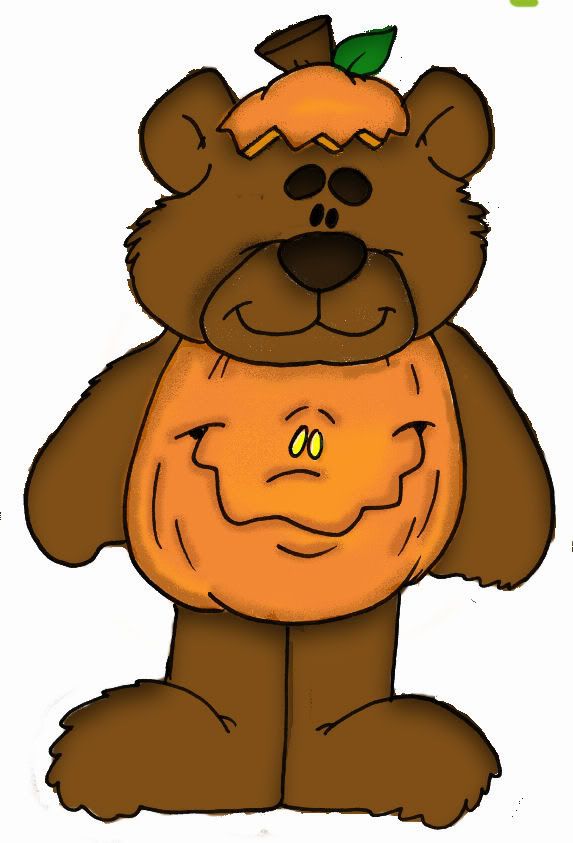
Using the plug-in gives your image a true color and placing the filtered image on the top layer maintains the black outline that most images have. Anyway below is another digi stamp this one is one of Dustin's.
Sunday, August 30, 2009

A digi stamp painting

Another try at digi painting...I am getting pretty good at this if I do say so myself...and I do. LOL

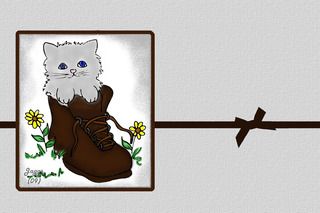
365 Card Challenge- Sketchy Sunday

It is sketchy Sunday again at 365 Card yippee!
I love doing the sketches. The lay-out is
provided and that makes it easier.

This card I printed off and assemble for a
friend of mind. I try to take a picture and it
seems that everything was lost...so once again
I am showing you the digital version of the card.

The image in the center is a black and white
digi stamp from DZ Doodles that I painted in
PSP.

Please leave a comment. It is nice to know that someone took the time.

Friday, August 28, 2009

Stamp Something - Animal Something

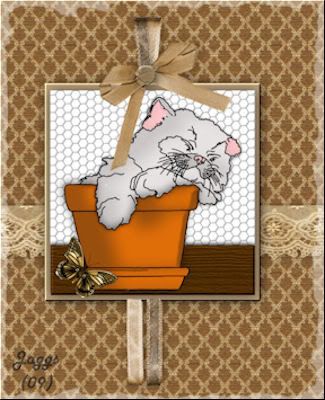
All the sample cards for this challenge at
Stamp Something were sooo cute. I wanted to
do something worthy of them. When I created
this card and stood back and looked at it I
thought, if I had not created it myself I
would swear it was 3 dimensional. Not! The
kitten in the flower pot is actually a digi
stamp I purchased at DZ Doodles. Some of the
other embellishments are from the
'L'eau d'or' - 'Golden Water free download
kit at NKdigitalarts.com

Sunday, August 23, 2009

More Colorizing of digital stamp

Just practicing coloring digi stamps. Here is
a card that I made from a digi stamp. Practice
practice, practice!

Coloring a digi stamp

This is my first attempt at coloring a digi stamp
using PSP. I think I did pretty good for a first
timer. I finally found the right brushes to use.